跨境独立站开店
Store themes
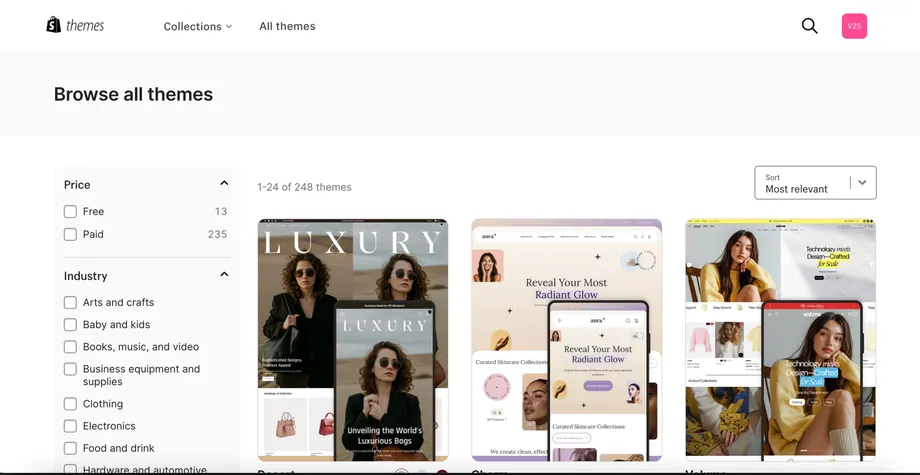
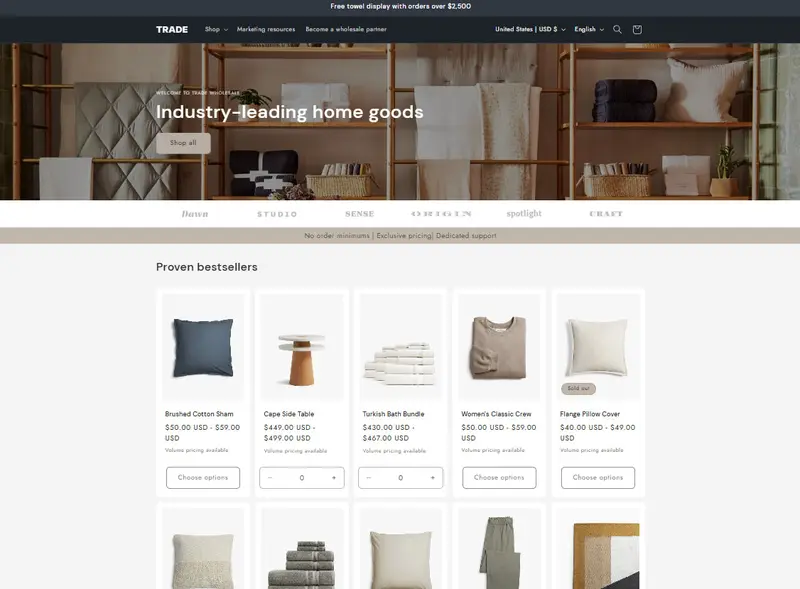
Trade Shopify theme review: features and store fit
Trade is a free theme designed for businesses that sell to membership stores, B2B brands, and retailers.
TWD 0.00
Trade is a free theme designed for businesses that sell to membership stores, B2B brands, and retailers.
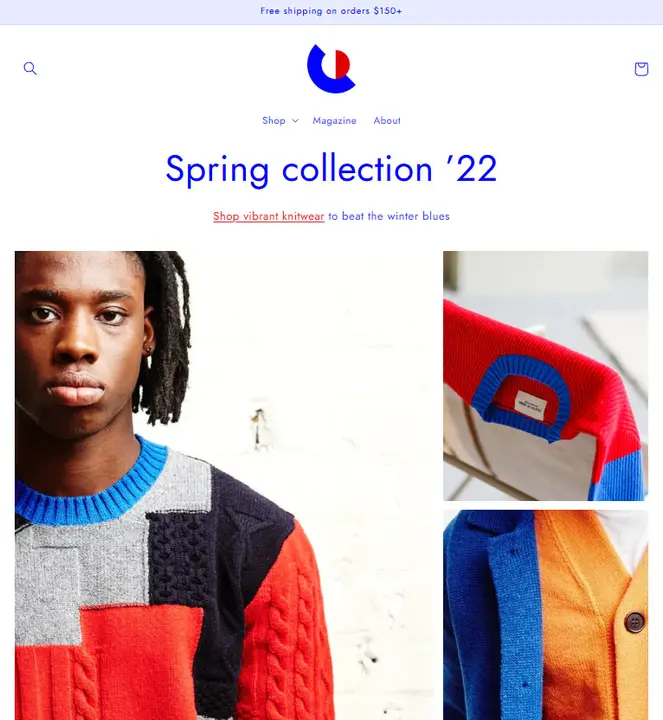
Colorblock is a theme designed for high-end apparel brands and designers who create limited-edition items.
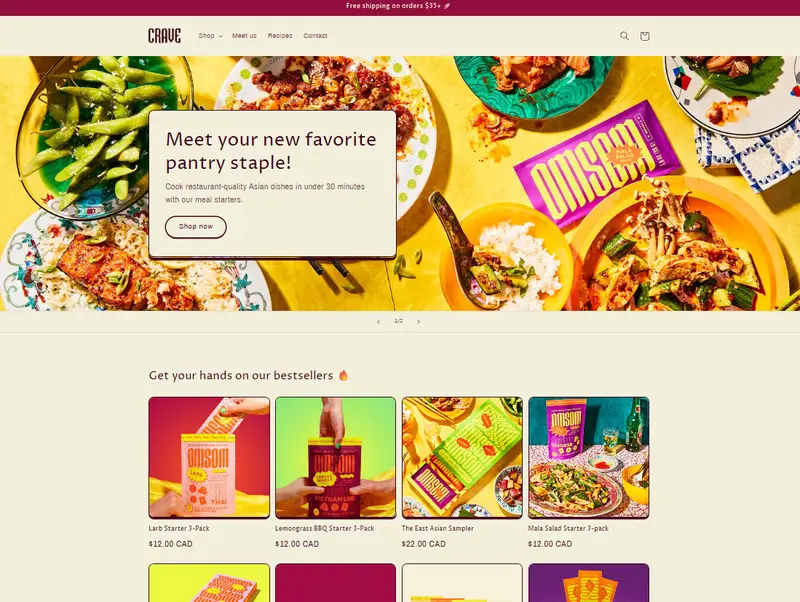
Crave is a theme well-suited for restaurants offering takeout, thanks to its mobile-optimized layout and quick purchase system.
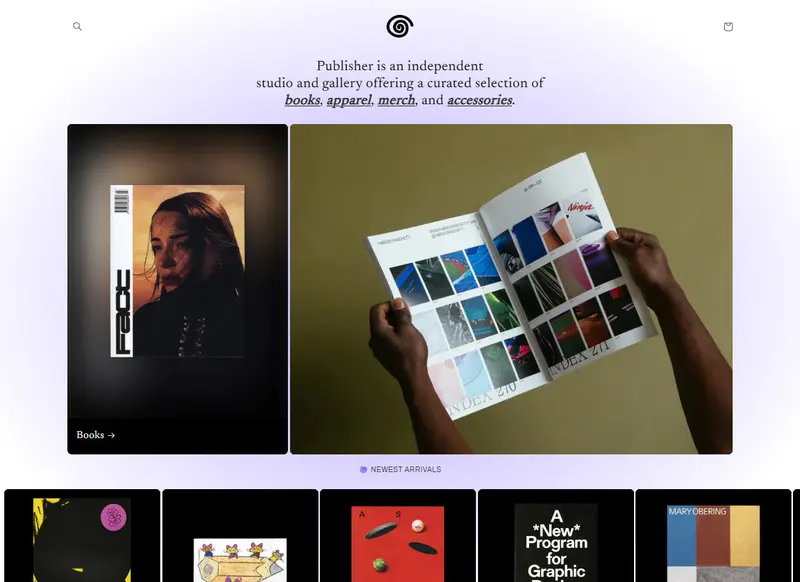
Publisher is a Shopify theme suitable for selling content such as art, music, and books.
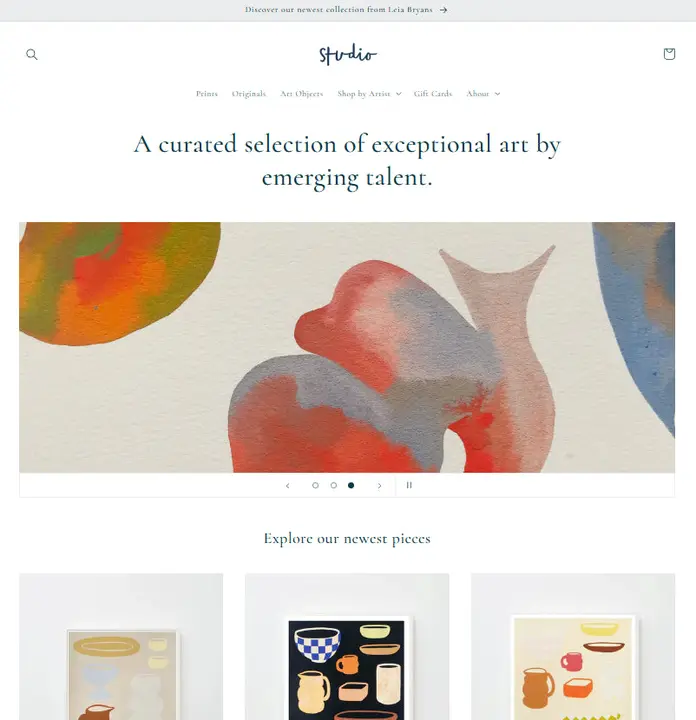
Studio is a free Shopify theme designed for artists, creators, influencers, and more.
Dawn is a free Shopify theme designed for up-and-coming brands, featuring a minimalist and stylish design.
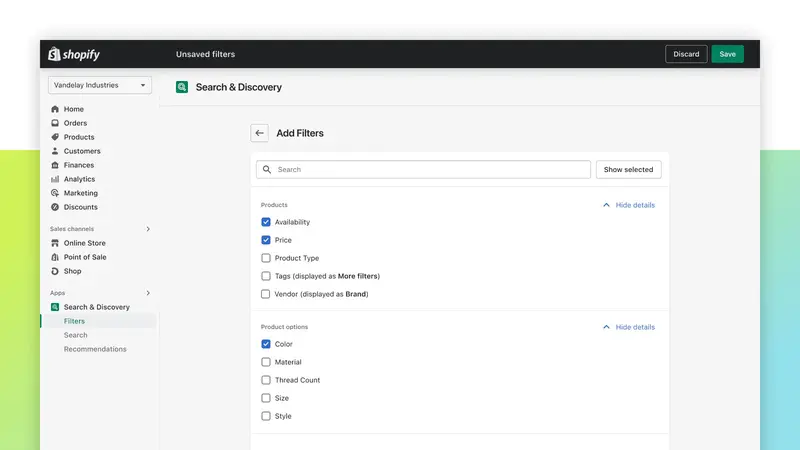
Shoppers can narrow a search by colour, size or price.
Adds storefront conversations and lets staff respond with product and cart context.
Reaches eligible subscribers through SMS or email.
A shareable discount link directs the shopper to the store while associating a campaign with the visit. It suits email and campaign pages, with the final savings determined by discount rules and cart contents.
Editing a large catalog one item at a time makes omissions easy. A bulk editor puts the selected products or variants beside the fields being changed so the operator can see the intended scope.
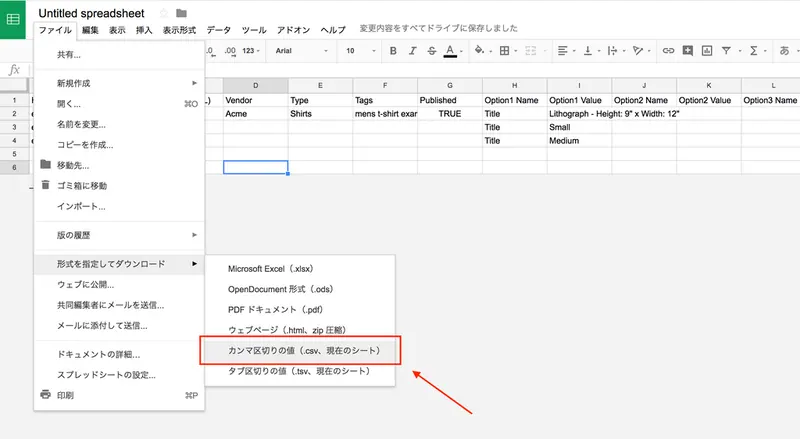
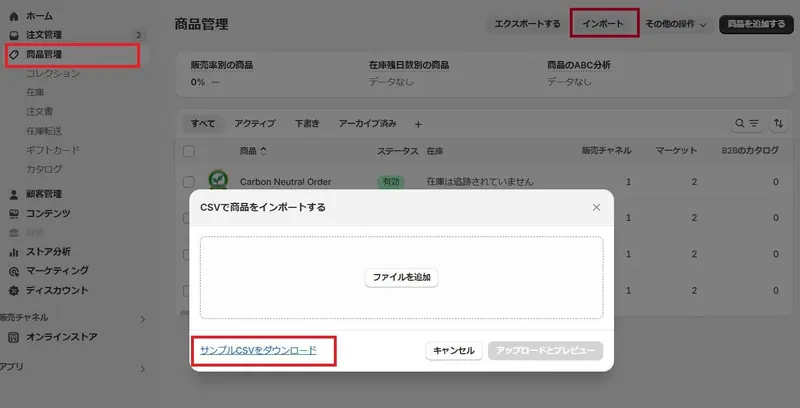
A product CSV lets an editor review variants, prices and images offline. A small export from the current store provides a practical starting structure for the next import.
Build on a copy, test the entire shopping path on mobile and keep the previous theme available. A theme backup restores different information from a product or order export.
List who can change payout settings, customer data and orders. Assign an owner to each sensitive action so the team knows what to review when staff or apps change.
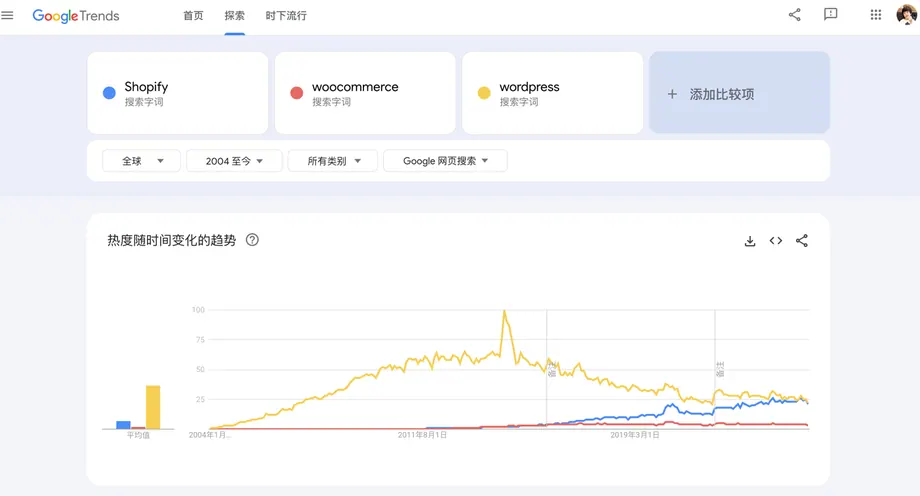
Both platforms can sell the same product. Compare who will run the hosting, maintain integrations, respond to faults and cover the ongoing cost after launch.
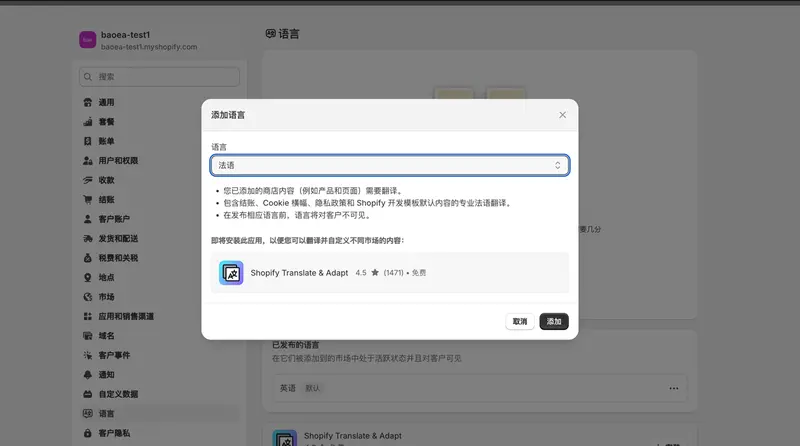
Translating product pages is only one part of a multilingual store. Navigation, filters, policies, and transaction notifications also influence whether a buyer completes a purchase.
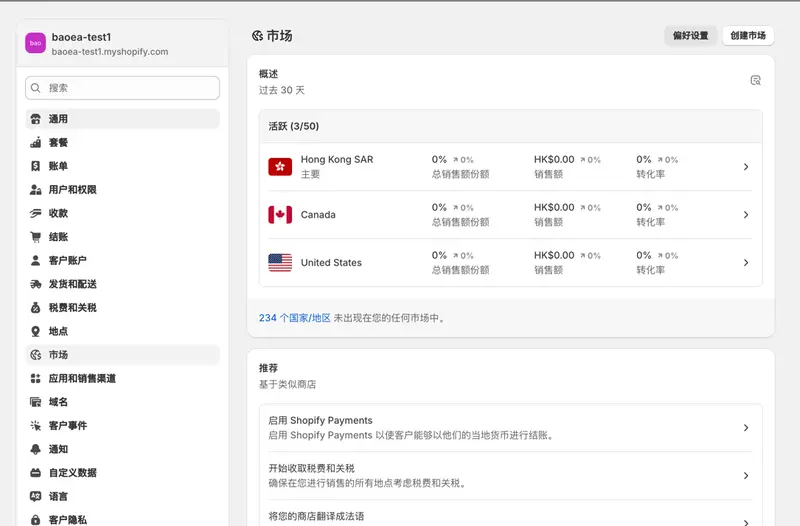
The currency displayed on the product page, the currency the customer actually pays, and the currency the merchant finally settles in may differ, so each item needs to be checked.
Promotional pages must specify the products, regions, and order thresholds covered by the discount; test carts must cover both cases where the conditions are met and cases where the conditions are not met.
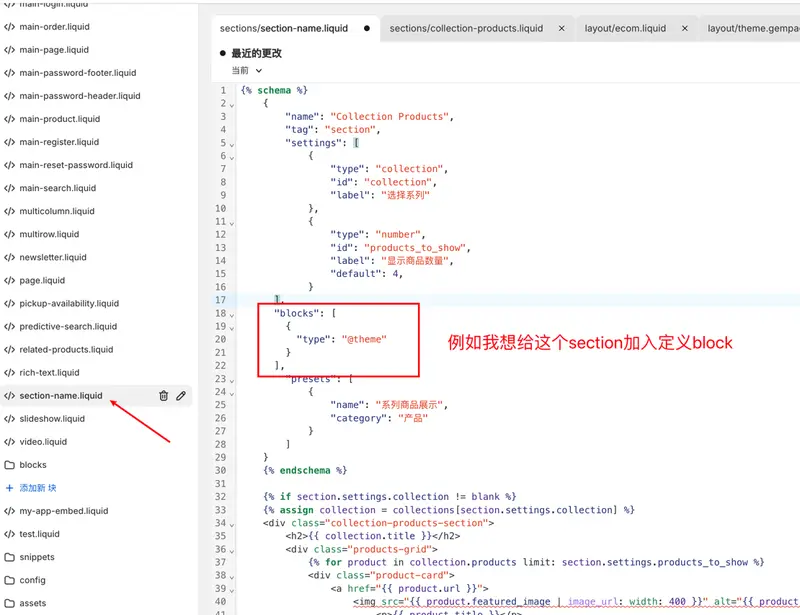
The theme editor breaks down the page into sections and blocks. Choosing the correct hierarchy allows operations staff to easily adjust content and sorting later.
When migrating, renaming, or removing products, it's necessary to handle old addresses that are still used by visitors and search engines. Each redirect should have a clearly defined target page.
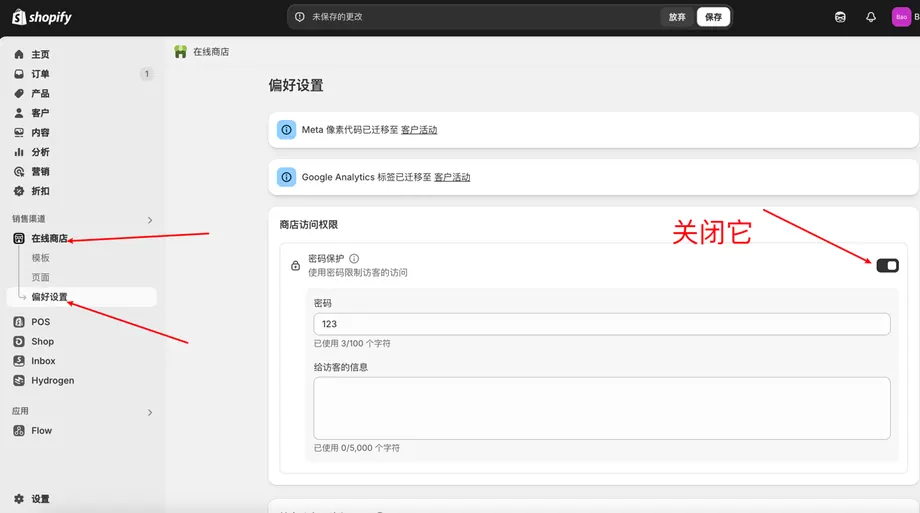
Check the products, shipping information and checkout before opening the store. Then turn off storefront password protection and verify access in a signed-out browser.
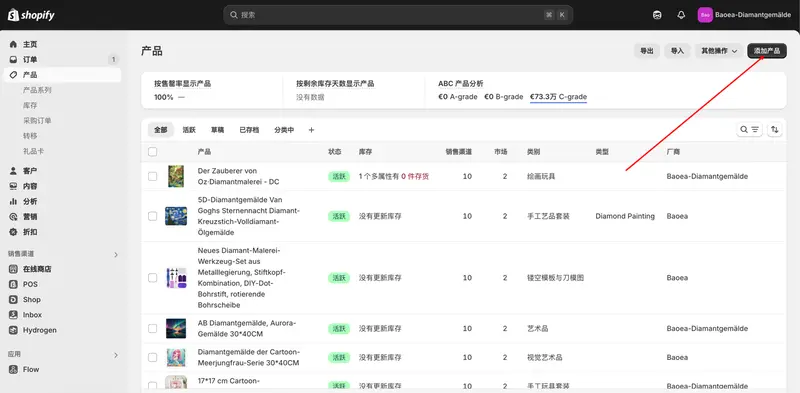
After entering the first item, the process should be repeated from the product page to the checkout to identify any omissions in variations, images, prices, or shipping information.
Product images need to address three issues simultaneously: appearance, proportion, and detail. Planning the content first, then processing dimensions and compression, can reduce the need for repeated shooting.
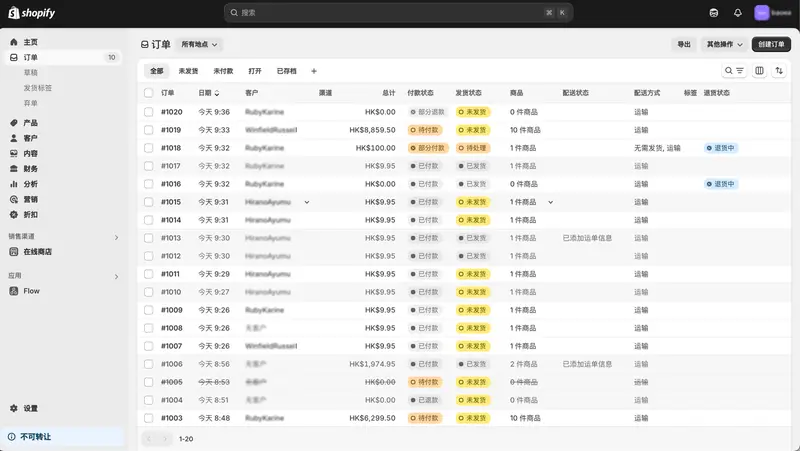
An order may have been paid for but not yet shipped, or it may have only been partially fulfilled. Recording the financial and logistical status separately makes it easier to pinpoint the problem when customers inquire.