跨境独立站开店
Inventory and fulfillment
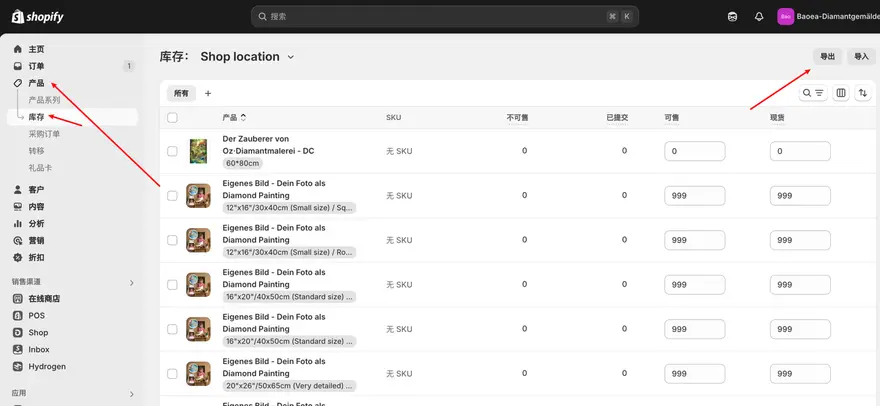
Shopify Inventory Management by SKU and Location
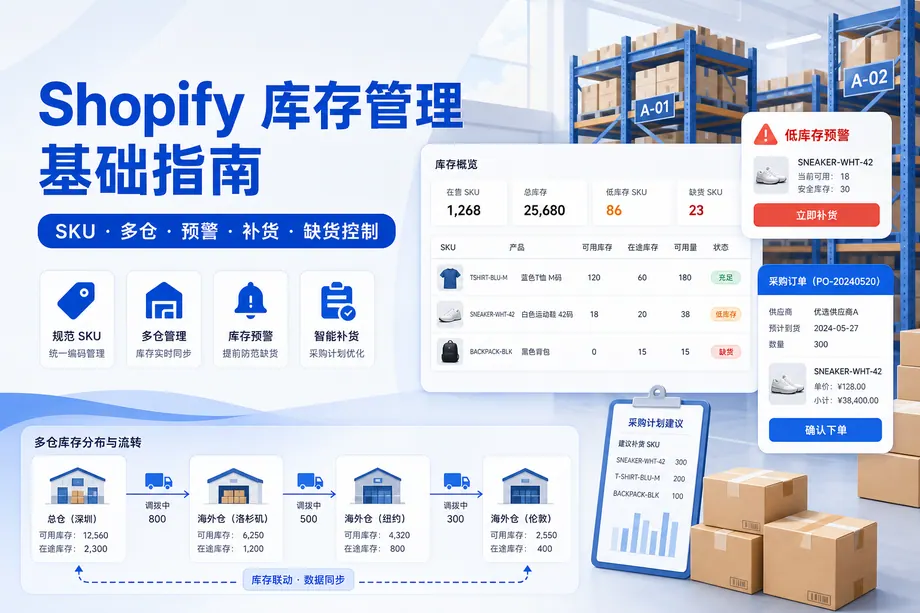
A product can look well stocked while its most popular size is sold out. Track quantities by variant and location, then use lead time and sales pace to set a reorder point.
A product can look well stocked while its most popular size is sold out. Track quantities by variant and location, then use lead time and sales pace to set a reorder point.
When the same item is shipped to different countries or postal zones, the package weight, shipping conditions, and optional services may differ. Testing with sample addresses is more reliable than simply checking rate tables.
Customer segmentation involves first determining the operational actions to be taken, and then selecting the criteria. A segment should be able to explain why these customers received the same message.
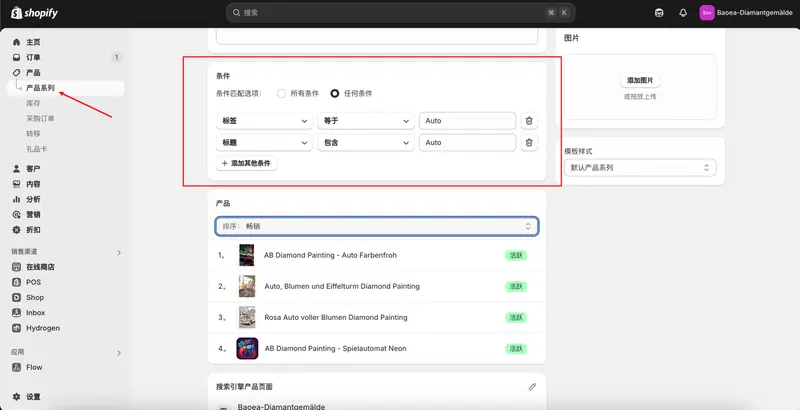
Product categories determine both the navigation entry point and whether buyers can compare similar products. New arrivals, permanent categories, and seasonal themes require different maintenance methods.
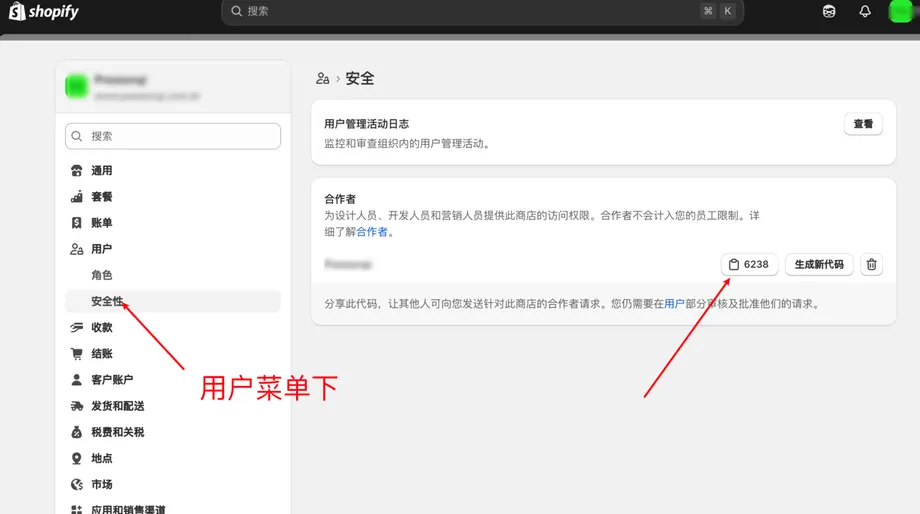
Let a partner request access with their own account. This guide covers finding your request code, approving the right role and removing access after the project.
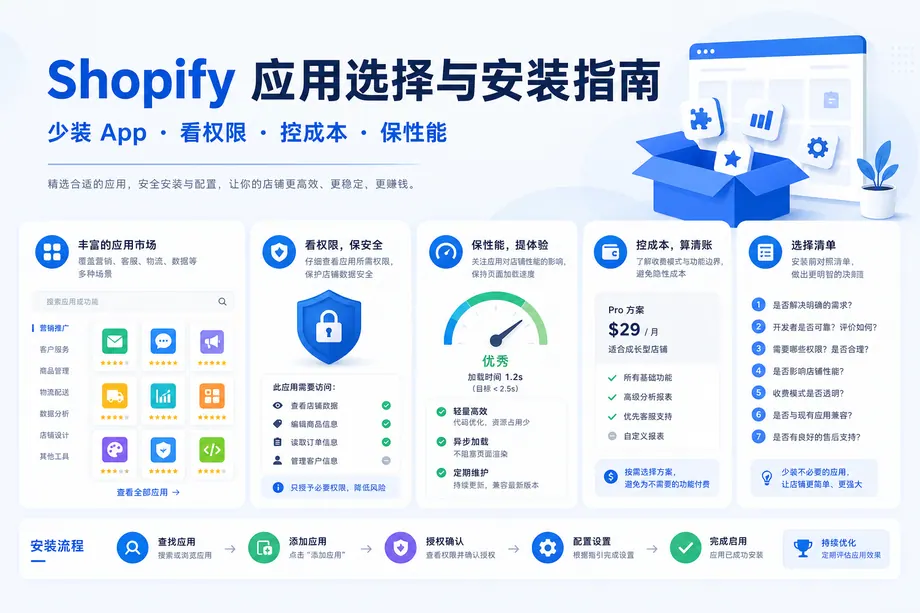
Before installing an app, record the problem, the existing alternatives, the expected result and the full cost. The same checklist helps you decide when to remove it.
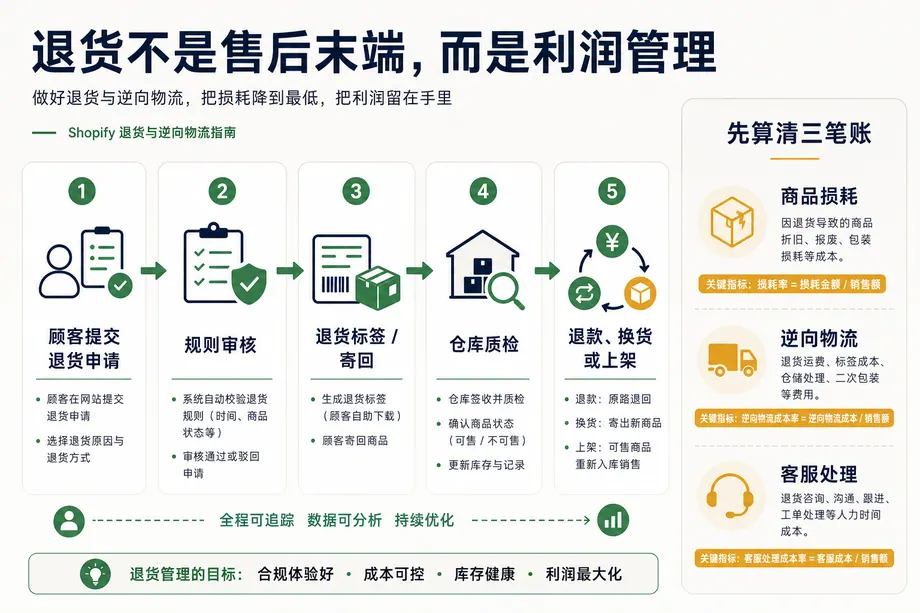
A refund tells only part of the story. Connect the return request, shipping cost, inspection and final inventory status to the same record.
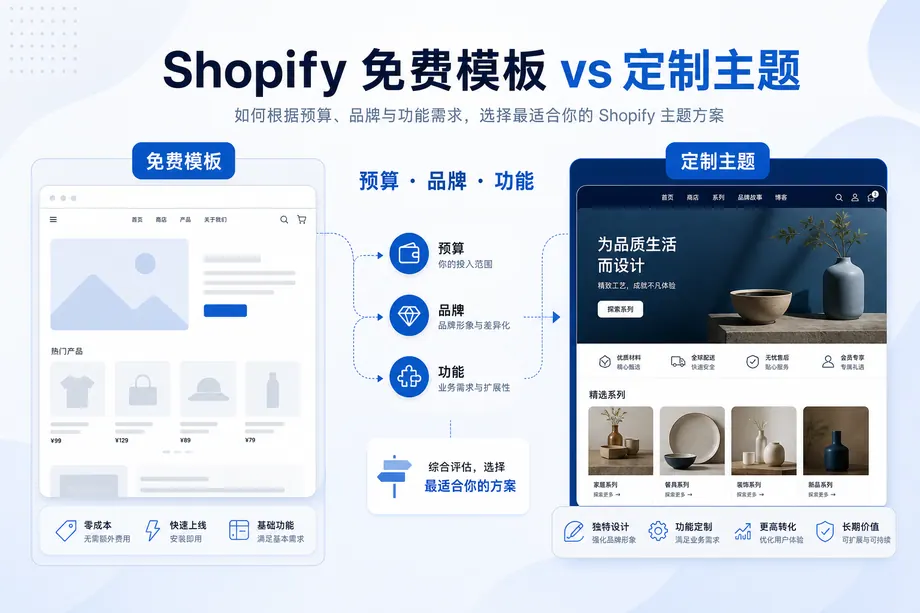
Test each theme with the same product, photos, variants and shipping details. Compare the buying experience and the work your team will need to maintain it.
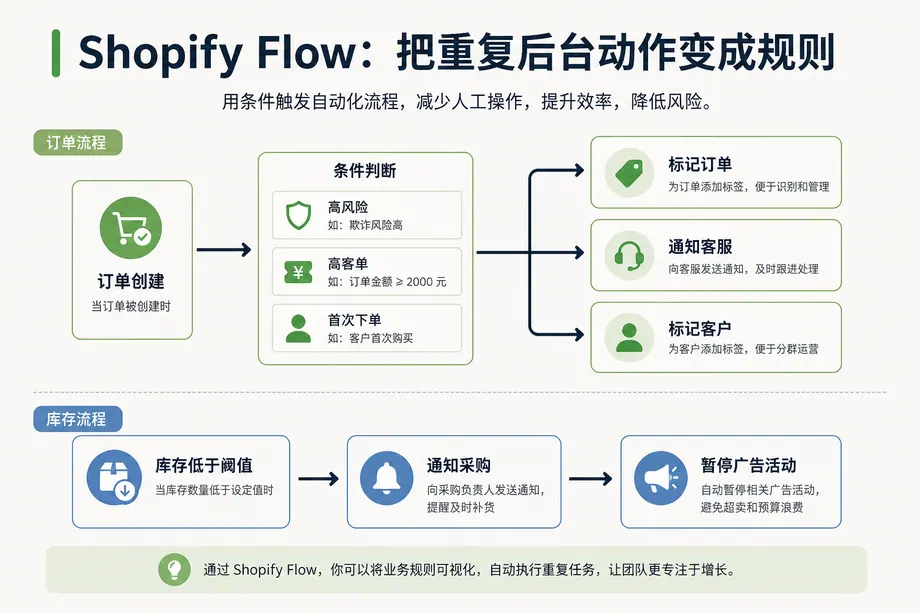
Use an observable event, a clear condition and a named owner for each automation. These six workflows cover everyday decisions that a store team can test before launch.
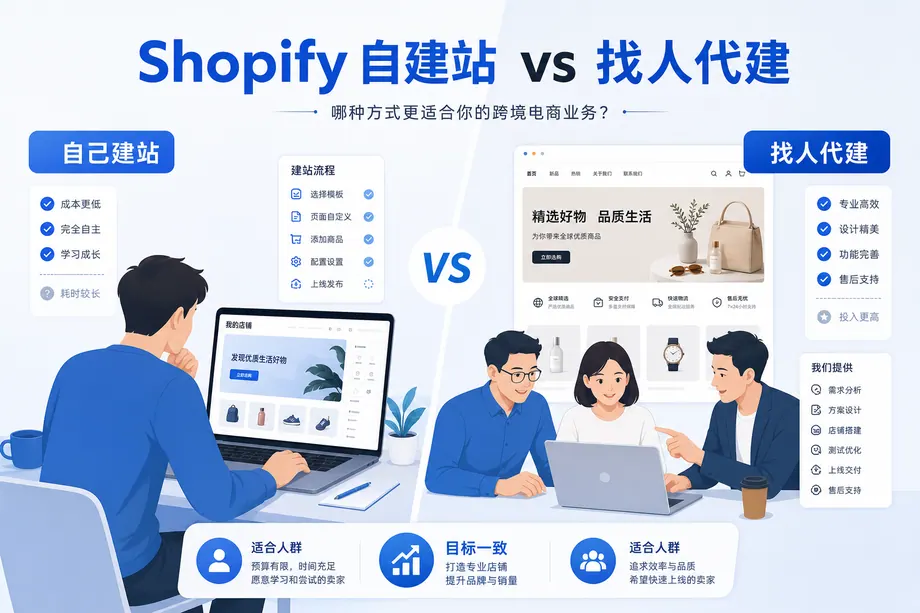
Use the same launch checklist to compare the time, cost and responsibilities of building in-house and commissioning a store.
Prepare an email address, your store details and one real product. Use the storefront preview to check the shopping experience before launch.
Find the provider that hosts your DNS records, save the current settings and use the connection values shown in your own Shopify admin.
Shopify is a Canadian e-commerce software developer founded by Tobias Luke and headquartered in Ottawa, the capital of Canada. Its software service, Shopify, is a SaaS-based shopping cart system suitable for cross-border e-commerce businesses to build independent websites. Users pay a fee to create their own online stores using various themes and templates. Compared to other independent website building tools such as Magento and WooCommerce, Shopify is the most user-friendly website building tool I've used for small and medium-sized sellers, and it offers a 14-day free trial. In 2019, Shopify also launched a Chinese language service for Chinese users.
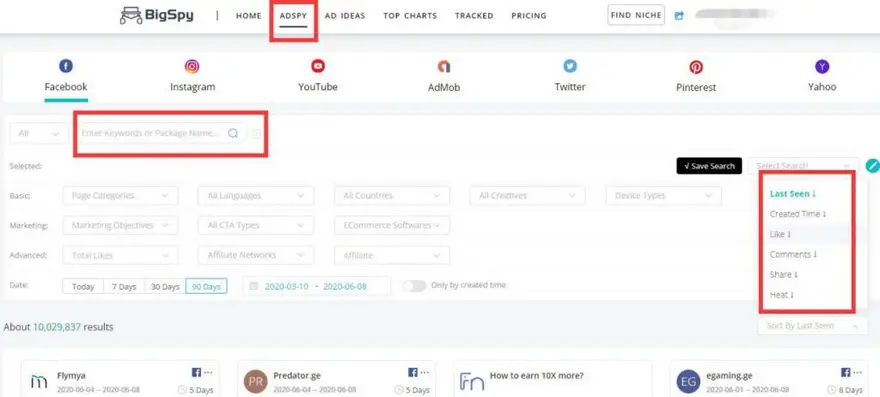
Enter your search keywords, then sort by likes, comments, or shares to find ads with high engagement (over 1000). I entered "shoe" and sorted by comments; shoe-related ads appeared.
How to manually add products in the Shopify admin panel? This includes: In the Shopify admin panel, click Products - Add Product, add a title (product name), and notes on product name selection; how to write a product description framework and embed videos; adding media files; product pricing, original price, whether tax is required, inventory settings, product shipping, and weight settings; product options (multi-attribute settings); and search engine product page settings at the bottom.
How to install TikTok Pixel on your Shopify standalone website? Log in to your Shopify admin panel, click on "Channels" on the left, select TikTok in the pop-up window and install it, add a channel, link and log in to your TikTok For Business account, confirm, and finally confirm again in your TikTok Ads admin panel. Log in to your TikTok admin panel and click on "Assets" > […].
How to choose a Shopify template? How to install a Shopify template? There are 4 ways to choose a Shopify store template and 4 things to note; my personal suggestion is: beginners should use the official free templates first; step-by-step instructions for installing a Shopify template; introduction to each function in the template.
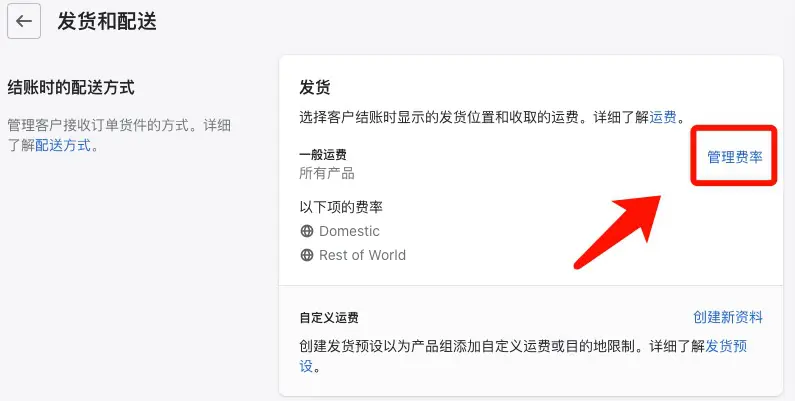
Before configuring shipping fees for your Shopify store, ensure that the currency unit is configured correctly in your Shopify store backend. In the Shopify store backend settings, find Shipping and Delivery, and add shipping regions and shipping settings step by step (including free shipping settings and shipping fees for orders over a certain amount). Shipping costs should be based on order price, not on product weight.
SEO is a free way to drive traffic to an independent website. I'll use a Shopify independent website as an example to explain how to do SEO. The direct benefit of SEO is more visitors to your website and more orders. SEO optimization includes titles, descriptions, and URL suffixes. There are five types of pages for Shopify independent websites to optimize: homepage, product pages, product series pages, blog post pages, and other pages. Finally, I'll share three SEO strategies: […].
This article shares several important points to note when registering for Shopify and provides a step-by-step guide to registering a Shopify account. It covers precautions for linking a bank card during Shopify registration to prevent account suspension, common reasons for store suspension, preparations before registering for Shopify, the step-by-step procedures after registration, an introduction to the $1 monthly subscription offer, and how to link your Shopify monthly subscription payment methods: credit card and PayPal.
Part 1 discusses products that cannot be sold on independent websites (using Shopify as an example); Part 2 discusses what products are unsuitable for small and medium-sized sellers to sell on Shopify independent websites.
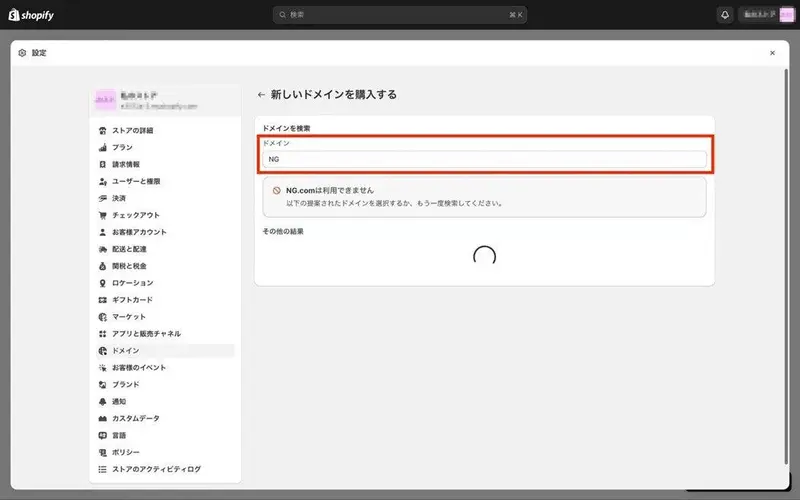
When you build an independent e-commerce website using Shopify, Shopify will give you a free subdomain, such as a free Shopify subdomain like waimaomike.myshopify.com.
It depends on your target market for your independent website: which countries and regions, and what payment tools are commonly used there. For a Shopify independent website targeting an English-speaking market, what specific payment tools are used? 1) PayPal: PayPal is an e-wallet, similar to Alipay in China. PayPal is a mainstream payment tool in English-speaking countries. 2) Stripe is a popular credit card payment tool, though its brand recognition seems to be lower than PayPal.
Shopify Backend Basic Function Introduction - Helping you quickly familiarize yourself with Shopify. The Shopify backend has four sections at the top: Shopify account switching, search, alerts, and account management. The left menu includes: Home, Orders, Products, Customers, Analytics, Marketing, Discounts, Sales Channels, Online Store, and Apps. There are also many function introductions in the settings at the bottom left.