跨境独立站开店
Launch your own brand using "AnyFactory"! Easily design, create samples, and produce apparel, cosmetics, and other goods in just four steps.
In line with the global growth of e-commerce (EC market), the number of services in Japan that allow for the creation of various original goods and apparel is also increasing. On the other hand, as EC businesses on online shops become more diverse, AnyFactory, a cloud-based manufacturing platform, was created to meet the needs of businesses that want to create products that are even more tailored to their specific needs.
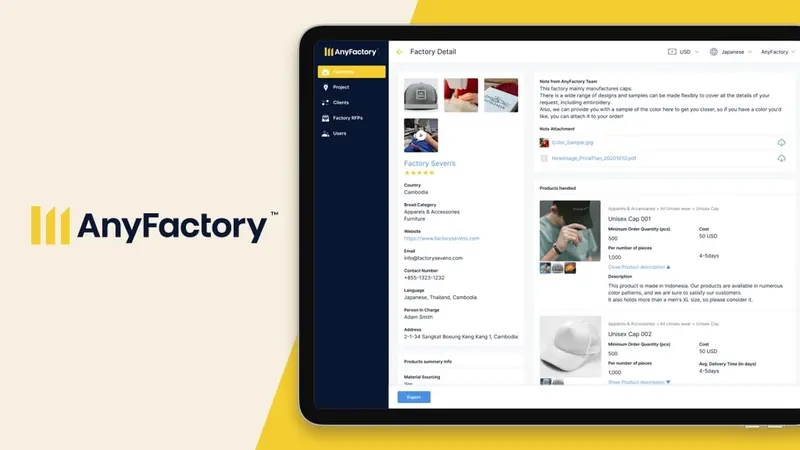
In line with the global growth of e-commerce (EC market), the number of services in Japan that allow for the creation of various original goods and apparel is also increasing. On the other hand, as EC businesses on online shops become more diverse, AnyFactory, a cloud-based manufacturing platform, was created to meet the needs of businesses that want to create products that are even more tailored to their specific needs.
A guide to connecting your Shopify store with AnyFactory and adding products you want to manufacture.
In line with the global growth of e-commerce (EC market), the number of services in Japan that allow for the creation of various original goods and apparel is also increasing.
On the other hand, with the diversification of e-commerce businesses in online shops, AnyFactory, a cloud-based manufacturing platform, was created to meet the needs of businesses that want to create products that are more tailored to their specific needs.
Shopify users can leverage AnyFactory to easily manufacture samples and produce original products such as apparel, cosmetics, and general merchandise. Furthermore, it allows for cost reduction by matching users with the most suitable suppliers from over 200 factories, primarily in Asia.
Shopify shop owners can use this feature by clicking the "AnyFactory for Shopify" tab in the Shopify admin panel and filling in the required information.
Features provided by "AnyFactory for Shopify"
AnyFactory for Shopify currently offers these features.
■Production of apparel, cosmetics, general merchandise, and other items tailored to customer needs can now be completed entirely on Shopify.
With partnerships with over 200 factories, primarily in Asia, we can match shop owners with the most suitable factory based on their budget, production volume, and product type. Furthermore, since quotes and orders are handled entirely within "AnyFactory for Shopify," all information, including production, sales, and inventory management, can be managed in one place.
■ We evaluate the factory's past performance and propose the optimal factory that meets your needs.
In addition to recommendations from AnyFactory, we accumulate data evaluating each factory based on past transactions and manufacturing performance, allowing us to recommend the most suitable factory to meet the shop owner's needs.
From here, we will explain how to easily launch your own original brand and products by using the "AnyFactory for Shopify" app from the Shopify App Store to connect your Shopify store with AnyFactory.
How to connect your Shopify store to AnyFactory
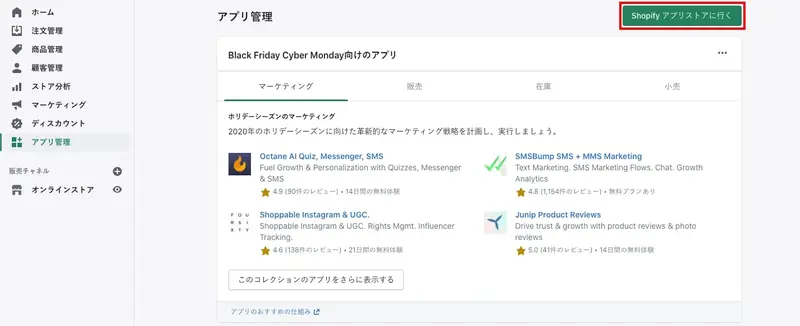
Log in to your Shopify account, go to the app management menu screen, and click "Go to Shopify App Store" to access the app store.
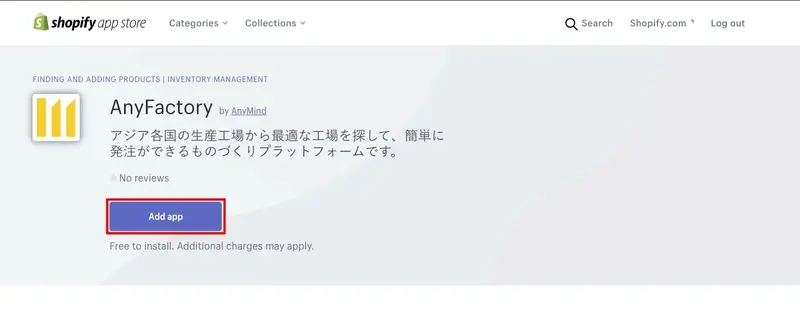
After navigating to the Shopify App Store page, type "AnyFactory" into the search bar and click on the AnyFactory app icon that appears in the search results. On the app details page, click "Add app" to proceed to the app installation screen.
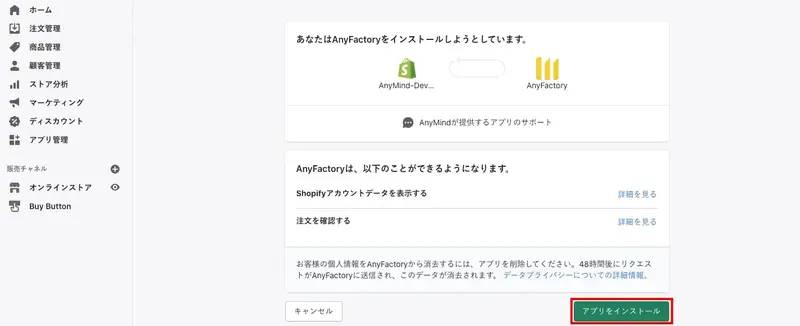
Click "Install App," and once the installation is complete, proceed to the AnyFactory account creation step.
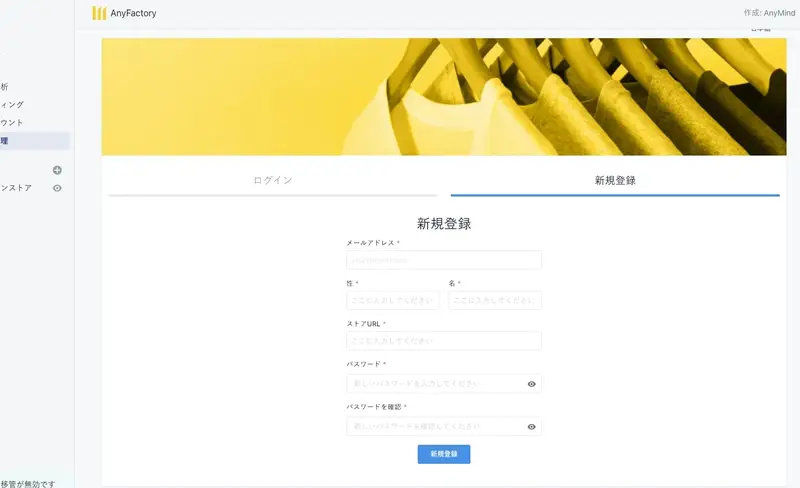
Signing up for an AnyFactory account takes only a few minutes. Simply click the "Sign Up" tab on the login page, enter your email address, name, Shopify store URL, and password, and then click the "Sign Up" button to complete your registration.
After creating your account, please enter your email address and password in the "Login" tab and click "Login". You will then be taken to a screen where you can register and manage the products you wish to manufacture.
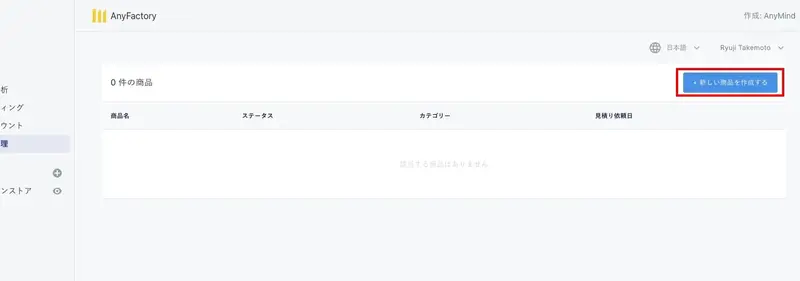
After logging in, the following screen will appear on your Shopify store's admin page. Clicking the "Create a new product" button will take you to a screen where you can enter the details of the product you want to create.
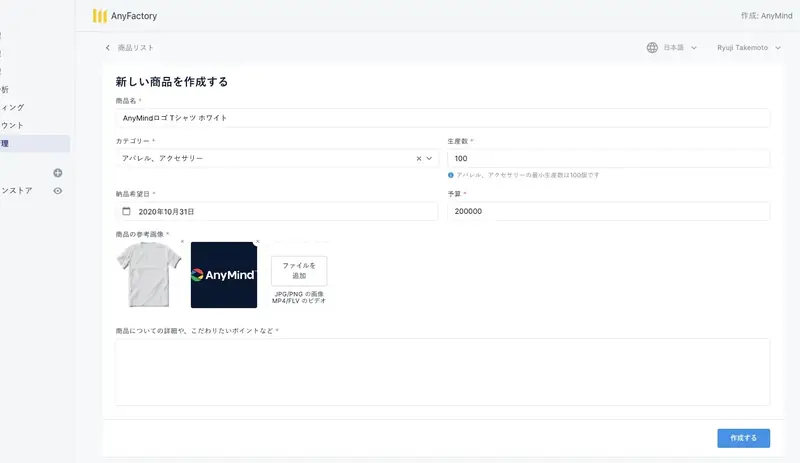
Enter the name of the product in the "Product Name" field. To make it easier to identify later, be sure to include the product category, pattern, color, etc. (e.g., Cat Print T-Shirt, White).
Please select a category. Currently, we support apparel, accessories, cosmetics, fitness products, supplements, fishing gear, and general merchandise (calendars, fans, mugs, keychains, etc.).
Please enter the "production quantity". The minimum production quantity varies depending on the category. The minimum production quantity for each category will be displayed on the form after selecting a category, so please check it.
Clicking the form will display a calendar; please select your desired delivery date. An approximate date is fine, as you can adjust it later. Please note that for short-term orders, we may need to extend the delivery date.
Please enter your "budget." This can be adjusted later, so an approximate amount is fine.
Please upload "reference images" of the product you want to create. Providing photos taken from various angles will help improve the accuracy of our estimate.
Please enter the "Product Details." Include a description of the product, including the fabric, stitching, print type, color, material, and any other special notes.
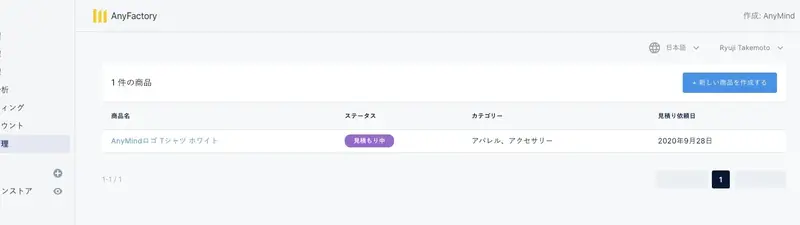
Once you have entered all the information, please click the "Create" button. You will be redirected to the product list page, so please confirm that the product you just created is registered.
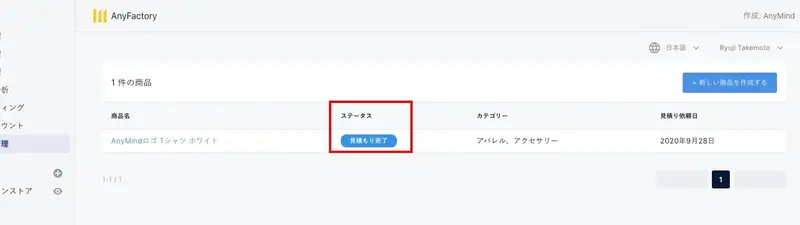
AnyFactory's factory network will select a factory that meets your requirements, and the actual production costs and delivery time will be displayed. Please check that the status is "Quote Complete" on the product list page, and then proceed to the product details page.
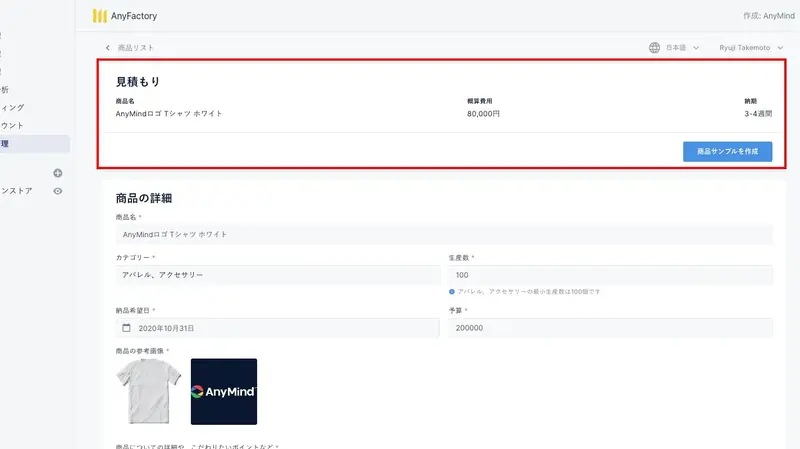
Please check the "Cost" and "Delivery Time" displayed at the top of the screen, then click the "Create Product Sample" button. Finally, a confirmation dialog will appear; if there are no problems with the contents, click the "Submit" button.
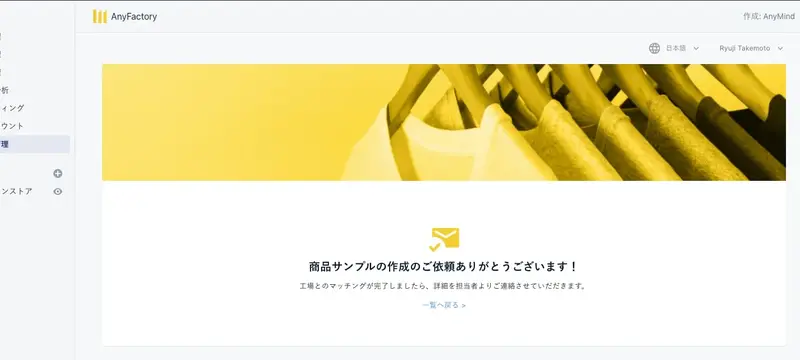
A screen confirming your product sample creation request will appear, and the factory will begin creating the sample. We will contact you regarding the manufacturing status and delivery of the sample, so please wait approximately 3-5 business days. If you would like to produce other products, please return to the list page, click the "Create a new product" button, enter the information for that product, and submit it.
Bring your own original brand products to the world with Shopify and AnyFactory.
Shopify is one of the world's largest e-commerce platforms and the perfect tool for launching an online store. Combine it with AnyFactory, which has a network of over 200 factories across Asia, and start your own brand and product line!
■What is the cloud-based manufacturing platform "AnyFactory"?
AnyFactory is a cloud-based manufacturing platform operated by AnyMind Group. This platform connects with over 200 production factories across Asia, matching users with the optimal factory and supplier based on the product they want to create, making it easy for anyone to order what they want to make.
Install
About AnyMind Group
Founded in Singapore in 2016, we develop and provide software that supports all aspects of business, from product planning and manufacturing to e-commerce site construction and operation, and marketing, for individuals such as influencers and media and brand management companies.
Share this article
- Share on Facebook
- Share on X
- Share on LinkedIn