跨境独立站开店
You can now list your products on Google's Shopping tab for free.
Shopify is partnering with Google to make it easy for merchants to sync, submit, and optimize their free listings using Shopify's Google channel. If you're already using Shopify and syncing your products through this channel, approved products will appear in the Shopping tab of relevant search results, so no further action is required.
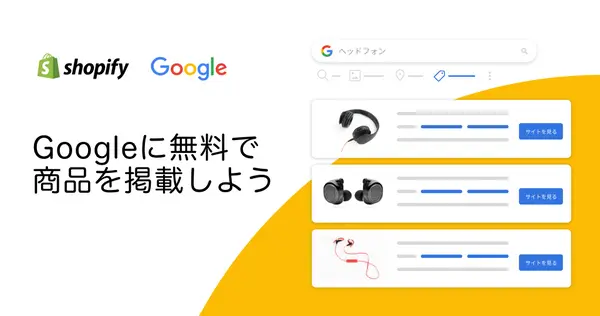
Shopify is partnering with Google to make it easy for merchants to sync, submit, and optimize their free listings using Shopify's Google channel. If you're already using Shopify and syncing your products through this channel, approved products will appear in the Shopping tab of relevant search results, so no further action is required.
As e-commerce plays a larger role in meeting consumer needs, the importance of Google's search service, which connects sellers and buyers, has never been greater.
Every day, many people use Google Search for their shopping needs. Google's Shopping tab is an attractive space for businesses to list their products.
Until now, the Shopping tab consisted solely of paid listings, but from now on, free listings will also appear in relevant search results, separate from paid ads. This change will be implemented in the following countries (partial list; see the full list here).
Consumers in the countries mentioned above will have access to a wider selection of products from more stores. Online retailers selling in these countries can also increase their product visibility on Google's Shopping tab for free and supplement paid advertising with free listings.
In Japan, this feature will be rolled out starting October 16th.
Reach your customers more easily with the Google Shopping tab.
With the introduction of free listings, eligible merchants can submit products to be featured in Google's Shopping tab. From there, products become more discoverable to search users and are more likely to convert into purchases without requiring them to pay for clicks. While this is not a replacement for Shopping ads, the introduction of free listings to the Shopping tab makes it easier for small businesses that lack the resources to effectively run and scale Google Ads campaigns to access popular spots in online shopping. Additionally, merchants already using Shopping ads can supplement their paid advertising with free listings.
List your products on the Google Shopping tab.
Merchants who meet the requirements can set up a Google channel on Shopify. First, follow the checklist to ensure you meet the requirements for Google Merchant Center. The Google Merchant Center dashboard allows you to select any shopping comparison service (CSS).
Once you sync your product feed with Google Merchant Center and your products are approved, they will appear in relevant search results.
Additionally, there are several ways to optimize your listings in the Shopping tab to make your products easier to find.
- To make product and store information detailed and up-to-date.
- Use high-resolution product images that comply with Google Merchant Center specifications.
- Describe the product name attributes specifically for each product feed. Searchers will ignore ambiguous product names.
- Consider the keywords potential customers type into Google to search for your products, and incorporate them naturally into your product names and descriptions. Test your hypotheses about the words used when people search for your products by conducting keyword searches.
- Include all relevant product feed attributes, such as size and gender, so that the right customers can find the right products.
- Optimize product category attributes to at least three levels whenever possible. For example, if you are selling dog blankets, enter Home & Decor > Furnishings > Bedroom > Dog.
For more information on setting up Google integration for your Shopify store, please refer to the documentation in the Help Center.
Install Google Channels
read more
- This guide explains how to set up and specify a domain name for your online shop.
- [Must-Read Guide] Introducing Payment Services You Can Use with Shopify
- This guide explains how to link Shopify with Instagram!
- We're revealing the secrets to integrating Shopify and Facebook!
- Shopify Online Store 2.0: Its Significance for Developers
- Let's integrate Next Engine with Shopify, and support domestic shipping as well.
- How to use Amazon Pay in your Shopify store
- Google Ads Complete Guide: 14 Campaign Types and Their Effectiveness
- Shopify's Japanese forum is now open!
- End-of-Year Greetings for 2018
FAQ
What is the Google Shopping tab?
What are the benefits of the Google Shopping tab?
How can I list my products on the Google Shopping tab for free?
Let's open an online shop!
Share this article
- Share on Facebook
- Share on X
- Share on LinkedIn