跨境独立站开店
What is CSV?: How to use CSV files and how to differentiate their use from Excel.
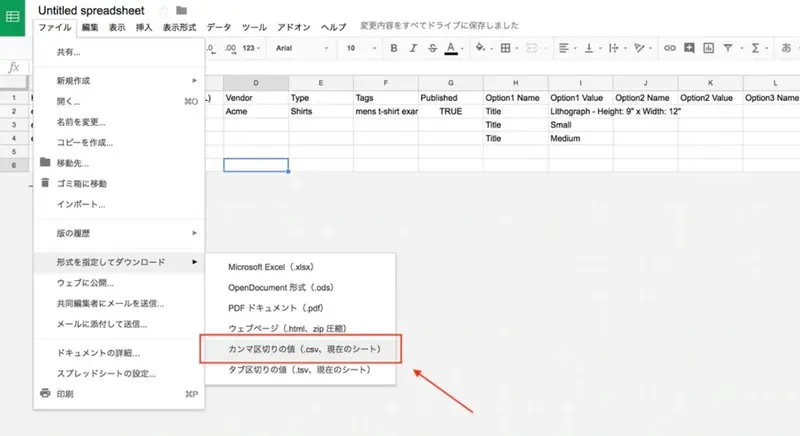
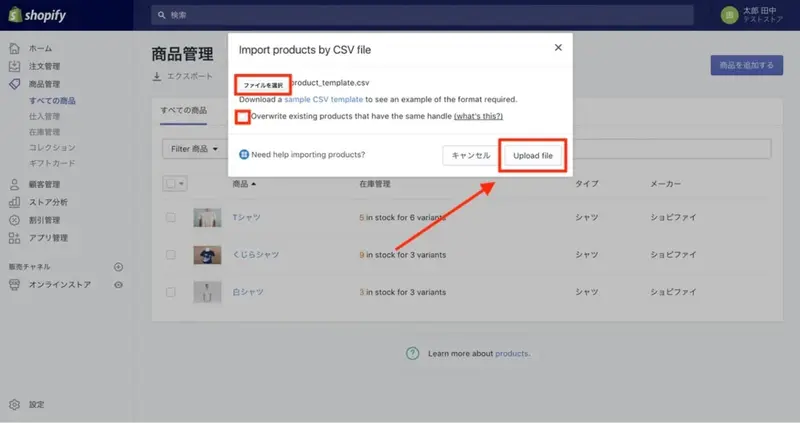
CSV, with its high file compatibility, is often used for input and output between database software. While a CSV file can be viewed as a table similar to Excel when opened on Windows, Excel and CSV are actually different file formats.






What is CSV?
CSV (Comma-Separated Values) is a file format that represents data in text format. It is primarily used to store tabular data (data composed of rows and columns) and to exchange data between different software programs.
Purpose of using CSV
Data Import/Export: This is used to exchange data between databases or spreadsheets (e.g., Excel, Google Sheets) and other systems. While standard data formats are incompatible between software programs and therefore cannot be used for data migration, the CSV format allows data to be transferred between different software programs.
Example of CSV data
The CSV data is created in the format shown above. In the above example, it can be seen that it is a list of employee IDs, names, and departments. When this CSV file is imported into Excel, it will be displayed as follows.
The difference between CSV and Excel.
CSV data separates items with commas (,), but because it's just a string of text and commas, it's difficult to read. Therefore, importing CSV data into Excel and displaying it converts it into data that's easier to read and use. CSV is a file format where items are separated by commas (,), and Excel is software that can display CSV data in a readable and user-friendly format.