跨境独立站开店
This guide explains the steps involved in migrating from ColorMeShop to Shopify!
This is a must-read for anyone looking to migrate their shopping cart system from ColorMeShop to Shopify. We'll provide a detailed guide on what to keep in mind during the migration process and the actual steps involved. Let's get started with this e-commerce platform migration, a topic we've been receiving an increasing number of inquiries about lately.
Points to check and preparations before the migration
First, let's clearly define "why we are migrating." Once this point is clear, let's think about what we want to do on the new platform and what improvements we want to make through a site redesign. This applies not only to migrating from ColorMeShop to Shopify, but to all platforms.
Product data migration
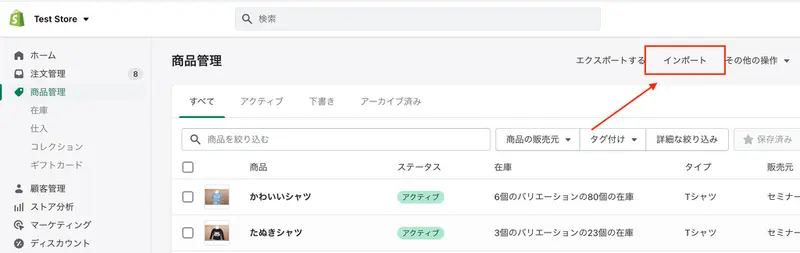
The most challenging part of the migration process is transferring product and customer data to the new shop. If you have a small number of products, you can add them manually, but if you have hundreds of products, it's more efficient to register them in bulk using a CSV file.
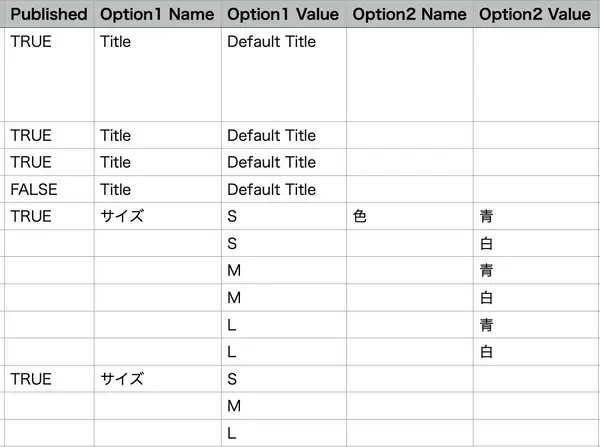
Features of Shopify product CSV files
There is a URL called Handle: The first column of the CSV is the URL for the product called Handle. If you enter it in Japanese, it will be displayed as a Japanese URL, but when you copy it, it becomes a long string and does not look good.
Customer data migration
Similarly, customer data can also be handled using CSV files. By referencing the corresponding columns in the ColorMeShop and Shopify CSV files, you can create CSV data for Shopify. While there are fewer items compared to the product CSV file, there are a few things to be aware of, so be sure to check them carefully.