跨境独立站开店
Privy subscription pop-up evaluation: Shopify mobile experience, discount claiming, and list deduplication.
Collecting email addresses is only the first step. Whether pop-ups can be disabled on mobile devices, whether discount conditions are consistent, and whether the same address is added to the list repeatedly also affect the user experience.
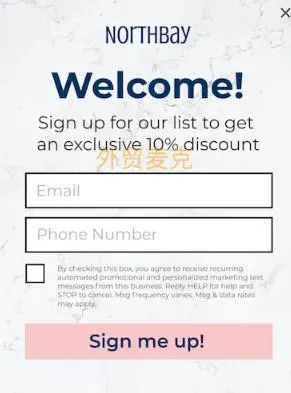
First, define a display location.
The product information uses pop-ups and discounts to attract subscriptions. Open the product page on a mobile phone to check the timing of the pop-up, whether the close button is visible, and whether the original product specifications can be viewed after closing it. The pop-up should also close smoothly when using keyboard navigation.
From claiming the discount to actually paying the bill
Claim the offer using a new email address that has explicitly agreed to subscribe, and verify the confirmation email and offer terms. Verify the offer separately with shopping carts that meet and do not meet the requirements. Submit again using the same email address to check for duplicate entries in the list, offer delivery, and other welcome processes.
Comparison forms tools and email platforms
If you already have email automation tools, first decide which party will be responsible for forms, promo codes, welcome emails, and unsubscribe. Record the number of form impressions, valid subscriptions, and redeemed promos for each. Comparing these data points is more helpful in determining whether it's worth continuing to pay than simply looking at pop-up clicks.