 跨境独立站开店
What is TikTok Shop? How to sell on TikTok
TikTok Shop is a shopping feature that allows you to sell and buy items on TikTok. This guide will explain how to set up TikTok Shop and how to sell effectively.



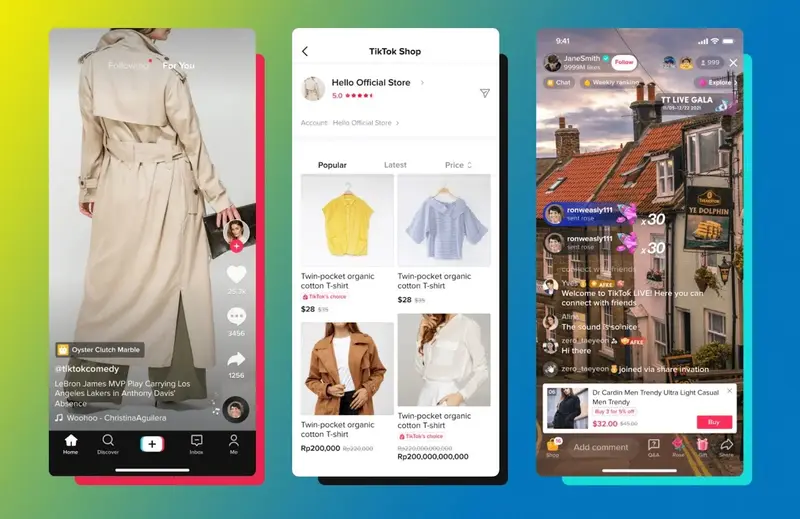
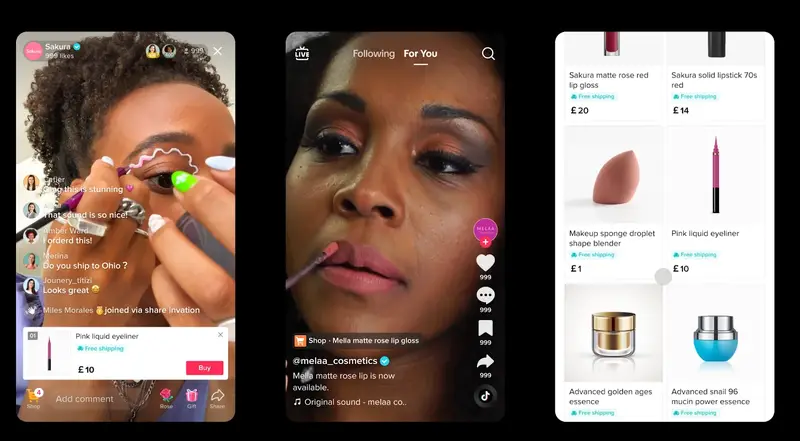


What is TikTok Shop?
TikTok Shop is a social commerce feature that allows users to purchase products within the TikTok app, a vertical short-video social media platform. By using TikTok Shop, you can transform your TikTok account into an online shop. By leveraging TikTok marketing and distributing shopping videos, you can offer a new sales experience that integrates entertainment and purchasing behavior. Users can find and purchase products directly from the video without leaving the app, providing a smooth purchasing experience.
TikTok Shop fees
TikTok Shop's sales commission is 7% of the total transaction value. However, if you complete the necessary initial setup within 45 days of registration and upload 3 products, the commission will be reduced to 3% for 90 days.
Benefits of TikTok Shop
Adding TikTok Shop to your sales channels makes it easier to reach potential customers that you might not have been able to reach through your online store alone. TikTok's user base is primarily young people in their teens and twenties, making it ideal for businesses targeting this demographic.
1. Short video with shopping cart
You can directly add product tags to short videos. When users want to learn more about a product or make a purchase while watching a video, they can proceed to the purchase screen without leaving the video, which is expected to increase sales.


