跨境独立站开店
What is Technical SEO? Basic Strategies and Best Practices
This article introduces the meaning of technical SEO, basic strategies, and best practices. Review site structure and page optimization methods to help create a user-friendly website for both search engines and users.

This article summarizes the basics of technical SEO that can be implemented on e-commerce websites.
To increase traffic to your e-commerce site from search engines, it's crucial to not only focus on the content of your product pages and other materials, but also to optimize the technical aspects so that search engines can find and correctly understand your site. This type of SEO strategy is called "technical SEO."
E-commerce sites, in particular, tend to have a large number of pages and complex site structures, so technical optimizations such as page management, site speed improvement, and mobile compatibility are crucial for SEO.
This article provides a clear explanation of the basics of technical SEO, why it's important for e-commerce sites, specific strategies, and useful tools.
What is Technical SEO?
Technical SEO is a type of SEO strategy that focuses on improving the technical aspects of a website so that search engines can find it and understand its content correctly. It involves improving site structure, loading speed, mobile responsiveness, internal linking, and security to make it easier for search engines to collect and register pages.
Furthermore, the process of inspecting these technical aspects and identifying problems and areas for improvement is called a "technical SEO audit."
Generally, search engines use programs called web crawlers to traverse web pages and find new pages and updated information. The collected information is indexed (registered) in a database, and Google's algorithm evaluates various factors such as relevance to search keywords, content, backlinks, and the technical status of the site to determine the ranking of search results.
By optimizing the technical aspects of your website, you can build a foundation for search engines to properly recognize your content and display it in search results.
The difference between technical SEO and content SEO
While technical SEO focuses on optimizing technical aspects such as site structure and loading speed, content SEO aims to improve search rankings by creating articles and product information that match users' search intent.
Why Technical SEO is Important for E-commerce Sites
- Securing organic search traffic: To gain organic traffic from product and category pages, it's crucial that search engines properly crawl and index each page.
- Dealing with complex site structures: On e-commerce sites, the site structure and URLs become more complex as the number of product pages, category pages, and filtering pages increases. Organizing the site structure and internal links makes it easier for search engines to find the necessary pages.
- Impact on the purchase experience: Improving display speed and mobile compatibility affects the ease of use when users are searching for and purchasing products. Slow loading can lead to users leaving the site and a decrease in conversion rates.
On e-commerce sites, page structure and loading speed can change due to the addition of new products, the discontinuation of existing products, category changes, and the introduction of apps or themes. Therefore, it's important not to set things up once and be done with it, but to regularly check the site's status and continue making improvements as needed.
Basic Technical SEO Strategies
- Organize the site structure
- Avoid duplicate content
- Improve website loading speed
- Mobile compatible
- Secure your site with HTTPS
1. Organize the site structure.
We will organize the site structure to make it easier for search engines and users to find the pages they are looking for. By organizing categories and hierarchies and creating a structure where important pages can be accessed in just a few clicks, search engines will also be able to crawl the site more easily.
We properly link related pages together using internal links and regularly check for broken links. Creating an XML sitemap and submitting it through Google Search Console will inform search engines about the existence of pages on your site.
2. Avoid duplicate content
If you have multiple pages with the same or very similar content, manage them properly. Too many duplicate URLs make it difficult for search engines to determine the representative page, leading to an increase in unnecessary crawling.
Especially on e-commerce sites, a large number of pages and URLs with similar content can be generated due to product variations, categories, and filtering options. These pages should be managed using the following settings, depending on their purpose.
- Canonical tag: This HTML tag tells search engines which URL is the primary URL. It is used when there are multiple URLs with the same or very similar content.
- `noindex`: This setting tells search engines not to display this page in search results. Use this when you want to keep the page itself but prevent it from appearing in search results.
- robots.txt: This file specifies the scope of access that search engine crawlers can have. Use it if you don't want certain pages or URLs to be crawled.
3. Improve the website's loading speed.
E-commerce sites that use many images and videos tend to have slower loading speeds. Optimizing page size not only improves SEO but also contributes to a better customer experience. The main improvement methods are as follows:
- Optimize images: Compress images to an appropriate size and avoid using unnecessarily large files.
- Utilize a CDN (Content Delivery Network): Store data such as images on multiple servers and deliver it from a location closer to the user to reduce loading times.
- Optimize HTML, CSS, and JavaScript: Reduce unnecessary code and decrease file size.
- Reduce unnecessary redirects: Avoid extra transfers before the page is displayed.
4. Mobile compatible
Optimize your website for mobile devices so that it can be comfortably viewed and used on smartphones and tablets. Google primarily uses Mobile-First Indexing (MFI), which crawls mobile versions of pages and uses them to determine indexing and search rankings.
Implement responsive design and other techniques to ensure that elements such as text, images, and buttons are displayed correctly even on small screens.
5. Secure your site with HTTPS
On e-commerce sites, use HTTPS to securely protect communication with users. HTTPS is a mechanism that encrypts information sent and received between the website and the browser.
This is especially important for e-commerce sites that handle login information, payment information, and personal information, as it helps prevent third parties from eavesdropping on or tampering with communications.
Technical SEO strategies for e-commerce sites
- Product page optimization
- Optimize category pages
- Properly manage facet navigation.
- Set up structured data
1. Optimize the product page.
Product pages should be designed to be easily understood by both search engines and users. Include information specific to each product, such as the product name, description, and images.
It's also important to ensure that product pages aren't "isolated pages" that aren't linked from other pages. Set up appropriate internal links from category pages and other pages so that users can access product pages by navigating within the site.
2. Optimize category pages
Organize your category pages so that search engines can easily understand the structure of your site.
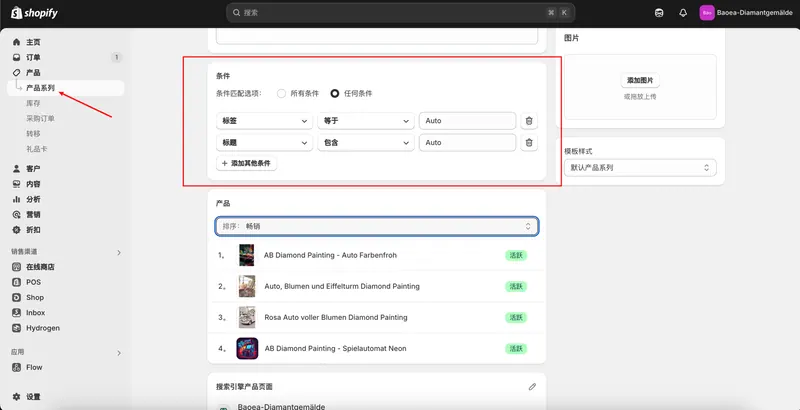
Once you've organized your products into categories such as "shoes" and "accessories," place the category pages above the product pages and below the homepage. Set up internal links from the homepage to the category pages. Furthermore, set up internal links from the category pages to each product page, connecting highly relevant pages. Since crawlers navigate your site through internal links, properly connecting relevant pages will allow them to navigate your site more efficiently.
3. Properly manage facet navigation.
If you're using faceted navigation that allows users to filter products by color, size, price range, etc., be sure to properly manage the generated URLs. Different URLs may be generated for each search criterion, potentially resulting in a large number of pages with very similar content.
For these types of URLs, you should set canonical tags or noindex tags depending on the purpose.
4. Set up structured data.
Set up structured data on your product pages to communicate product information to search engines. By writing product names, prices, availability, reviews, and other information in a specified format, search engines can more easily understand the meaning of the information on the page.
As a result, this information may appear in search results as rich results. When price, availability, reviews, etc., are prominent in search results, they are more likely to catch the eye of users considering a purchase.
Technical SEO tools for e-commerce sites
- PageSpeed Insights
- Google Search Console
- Google Rich Results Test
- Lighthouse
- Shopify Web Performance Report
1. PageSpeed Insights
To check your website's loading speed and user experience, you can use Google's free tool, PageSpeed Insights. Simply enter the URL of the page you want to analyze, and it will analyze its performance on both mobile and desktop devices.
In addition to checking Core Web Vitals such as LCP, INP, and CLS, the system also suggests items to improve display speed based on actual user data and analysis results from Lighthouse.
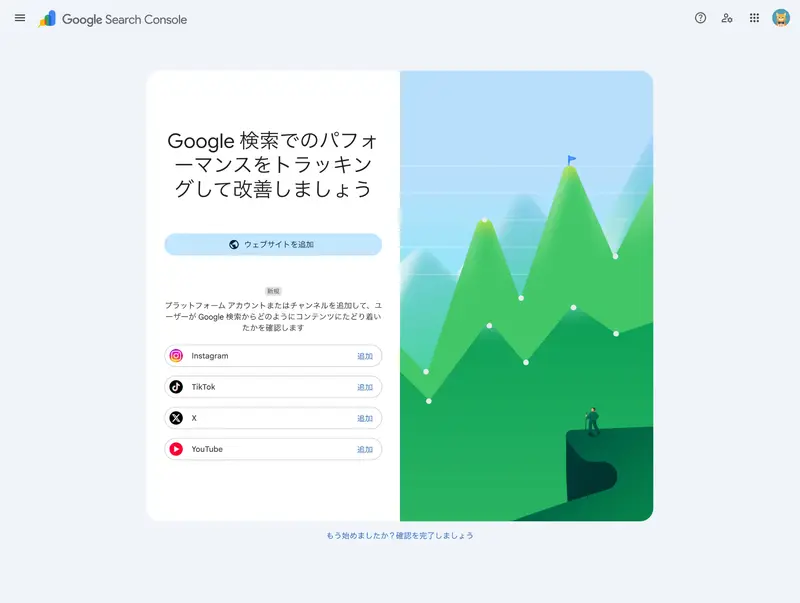
2. Google Search Console
To understand your site's performance in Google Search, you can use Google Search Console, an official Google tool. To use it, you need to register your site with Search Console and verify ownership.
After registering, you can view data useful for web analytics, such as the number of clicks, impressions, and search keywords in search results, as well as information on the page's indexing status and crawling issues. If you want to check a specific page, enter the URL in "URL Inspection" at the top of the screen to check in detail whether that page is indexed by Google and whether there were any problems during crawling.
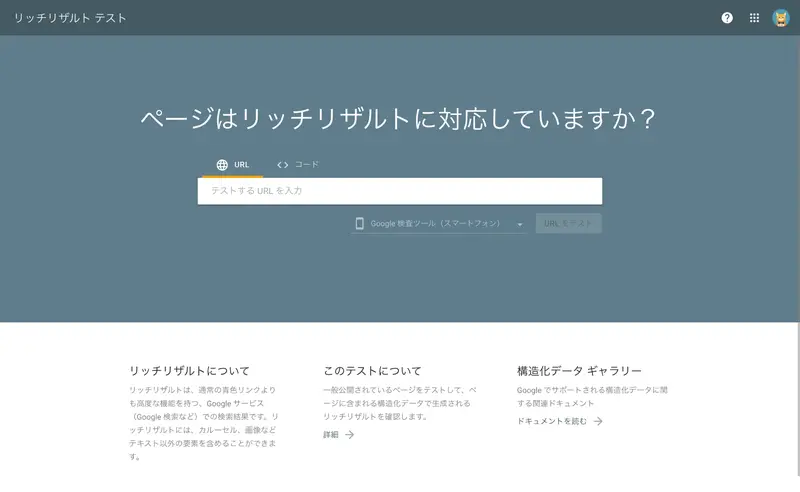
3. Google Rich Results Test
The Google Rich Results Test is a structured data verification tool provided by Google. By entering the URL of a published page or directly pasting the structured data code, you can check the rich results compliance status, errors, warnings, and more.
This is also useful for checking structured data such as price, stock availability, and reviews that you have set up on your product pages.
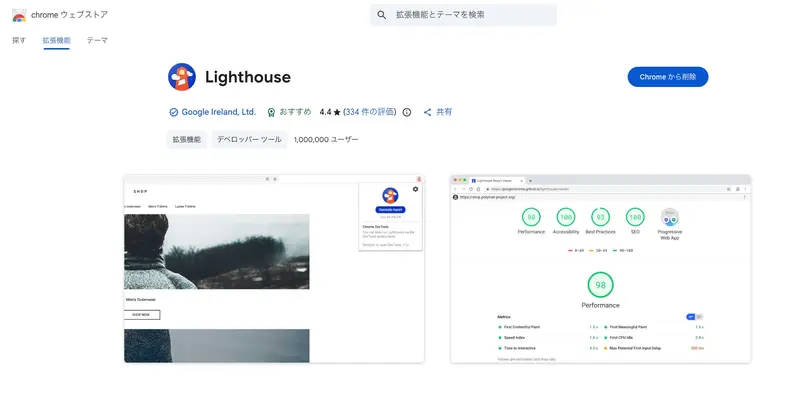
4. Lighthouse
Lighthouse is an open-source, official tool provided by Google for diagnosing the quality of web pages. The DevTools version, included as standard in Chrome, allows you to open the page you want to check in Chrome and diagnose it from the Lighthouse panel. An extension version is also available from the Chrome Web Store.
Lighthouse provides a comprehensive diagnostic tool that analyzes performance, accessibility, SEO, and best practices, identifying problems and suggesting improvements. While PageSpeed Insights focuses on page speed and Core Web Vitals, including real-world user data, Lighthouse tests pages in a browser and reveals technical issues from multiple perspectives.
5. Shopify Web Performance Report
To understand the loading speed and usability of your Shopify store, you can use the speed score feature in Shopify's web performance report. You can check the performance overview from [Online Store] > [Themes] in the Shopify admin panel, and more detailed information can be found under [Analytics] > [Reports].
The Web Performance Report uses Core Web Vitals to analyze performance based on data from actual users who visited your store. It also tracks changes across page types, making it useful for understanding the impact of theme changes or app additions on page load speed.
Technical SEO is an SEO strategy that focuses on improving the technical aspects of a website so that search engines can find it and understand its content correctly. It not only creates a foundation for appearing in search results, but also improves things like loading speed and mobile responsiveness, leading to a more user-friendly website.
For e-commerce sites, it's crucial to have the basics in place, such as site structure, internal links, and HTTPS, and then properly manage elements unique to e-commerce sites with a large number of pages, such as product pages, category pages, faceted navigation, and structured data.
By using tools to regularly check the status of your site, you can maintain an e-commerce site that is easy for search engines to understand and provides a comfortable user experience.
Frequently Asked Questions about Technical SEO
Is technical SEO something even beginners can do?
Basic measures can be handled by beginners using free tools. However, for things like canonical tags, robots.txt settings, and modifications to complex site structures, incorrect settings can affect search engine rankings, so consider consulting a specialist if necessary.
What should you check first when doing technical SEO?
First, check if your site is being properly crawled and indexed by search engines. Also, check for basic technical issues such as page speed, mobile responsiveness, broken links, and HTTPS. You can use free tools like Google Search Console and PageSpeed Insights to help you with this.
Does Shopify automatically handle technical SEO?
Shopify automatically handles some of the technical settings necessary for SEO, such as SSL certificates, sitemaps, and canonical tags. However, site structure, internal links, image sizes, app loading speed, and structured data may need to be adjusted depending on your store's configuration.
Share this article
- Share on Facebook
- Share on X
- Share on LinkedIn