What is PayPay?: How it works, how to use it, and a summary of transaction fees.
This article explains the advantages and disadvantages of PayPay, a cashless payment system that allows users to make payments using just their smartphone, for both consumers and businesses. Try using PayPay to acquire new customers.
PayPay is a QR code payment service that is used by downloading an app to your smartphone. It was jointly launched in October 2018 by SoftBank Corporation and Yahoo! Japan Corporation. Due to the high level of convenience that comes with being able to make payments on your smartphone using a QR code, it has rapidly spread, with more than 65 million registered users and 10 million participating merchants as of August 2024.
How PayPay works
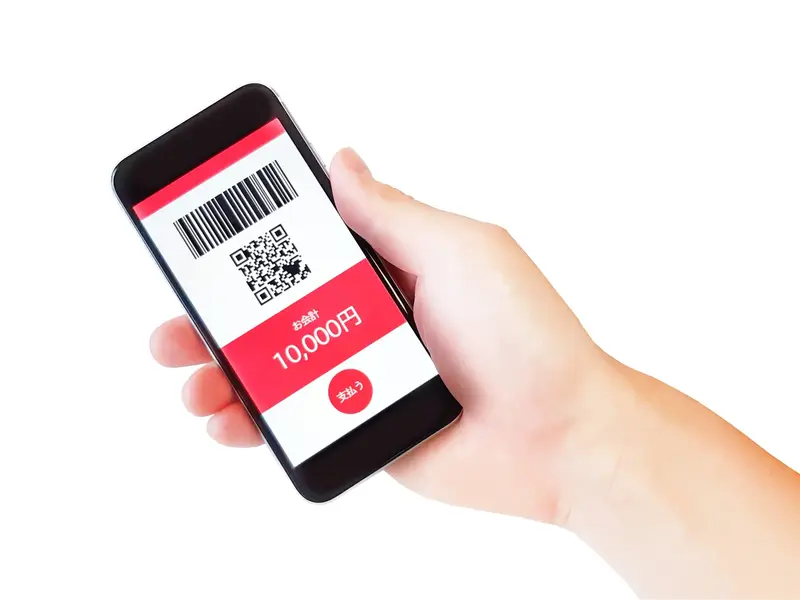
PayPay offers two mobile payment methods: QR code payment and carrier billing. The primary method, QR code payment, allows users to complete transactions by scanning a QR code with their smartphone or by having the store scan the user's barcode. By registering payment information with PayPay in advance and prioritizing payment methods such as credit cards or balance payments, transactions can be completed smoothly.
Benefits of using PayPay
PayPay allows you to easily make payments by simply showing a barcode or scanning a QR code using its dedicated app. This eliminates the hassle of handling cash or receiving change, making payments much simpler.
Disadvantages of using PayPay
Since PayPay is a payment service that uses a smartphone app, payments may not go through properly in areas with poor network connectivity. In crowded places or during peak hours, network congestion can occur, leading to unstable signals and potentially slow app loading. Additionally, if you have exceeded your data limit due to excessive internet usage, PayPay may not function correctly.
It depends on your target market for your independent website: which countries and regions, and what payment tools are commonly used there. For a Shopify independent website targeting an English-speaking market, what specific payment tools are used? 1) PayPal: PayPal is an e-wallet, similar to Alipay in China. PayPal is a mainstream payment tool in English-speaking countries. 2) Stripe is a popular credit card payment tool, though its brand recognition seems to be lower than PayPal.
To use PayPal as a payment method for your Shopify website, you must have a business account. Before registering, prepare the following: email address; business license (photo) of your company or sole proprietorship in mainland China; front and back of the legal representative's ID card; proof of address, such as a photo of the front and back of the legal representative's ID card or proof of office address. Here's how: How do I link my PayPal business account to my Shopify admin panel to receive payments?
Mainland sellers typically register Stripe accounts in Hong Kong or the United States. Since the application process for Stripe is generally the same across countries, I'll first briefly compare Hong Kong and US Stripe accounts, then focus on the registration process for a Hong Kong company account, and finally discuss some important points to note when using Stripe. Hong Kong Personal Stripe Account Registration Process (HK ID Required), Hong Kong Company
This article shares information about Payoneer, including what it is, how it receives sales payments from popular cross-border e-commerce platforms like Amazon and Lazada, its target audience for affiliate marketing platforms, common registration questions, and the registration process for personal and company accounts.
 跨境独立站开店