 跨境独立站开店
VIP Customer Strategy: How to Identify, Develop, and Retain VIP Customers
This guide will introduce how to develop a VIP customer strategy, including methods for identifying and retaining VIP customers. Review the characteristics of valuable customers and how to build relationships with them to improve repeat purchases and brand loyalty.

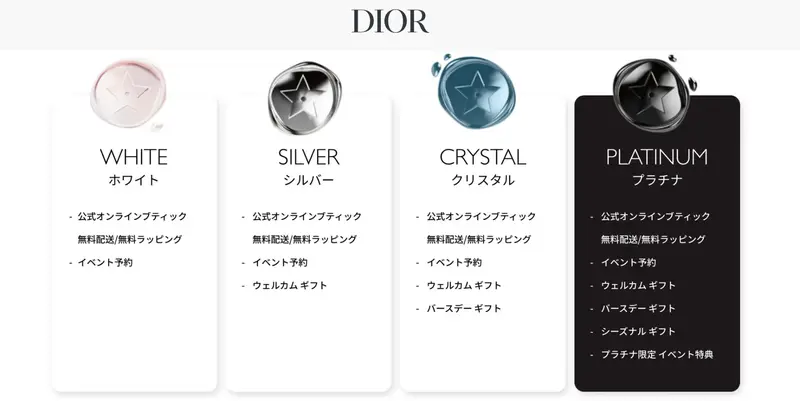
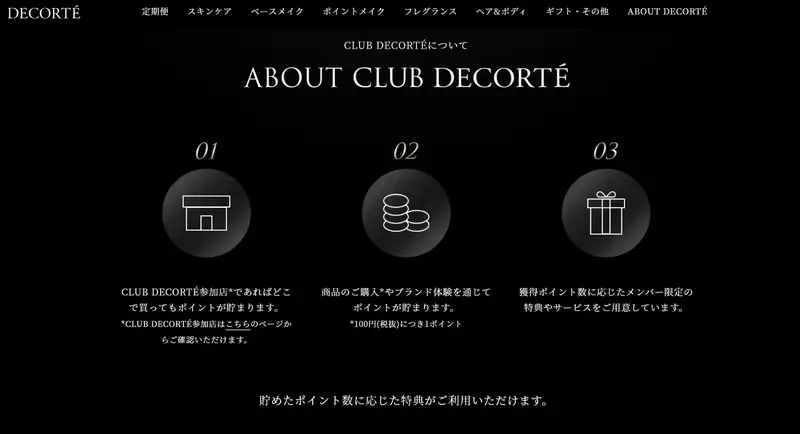
What is a VIP customer?
VIP customers are those who are of particular value to a business. This includes not only customers who purchase high-priced items, but also customers who make regular purchases, even small ones, and customers with a high LTV (Customer Lifetime Value).
What is a VIP customer strategy?
A VIP customer strategy is a marketing approach that identifies high-value customers and provides them with special services and benefits tailored to their needs. By providing experiences and services that match the customer's value, it aims to increase satisfaction and improve customer lifetime value (LTV) and brand loyalty.
The Importance of VIP Customer Strategies
Leading to the maintenance and improvement of profits: As indicated by the 8:2 rule (the idea that 80% of profits are generated by the top 20% of customers) and the 5:25 rule (the idea that improving customer retention by 5% increases profits by 25%), deepening relationships with customers through a VIP customer strategy, cultivating valuable customers, and preventing churn can build a stable revenue base.
Evaluate LTV
LTV (Lifetime Value) is the total long-term profit that a single customer brings to a company or brand. By utilizing LTV, you can understand the long-term value of each customer and use it as a basis for identifying VIP customers.


