 跨境独立站开店
Examples of email popup forms and tips for acquiring email addresses
This article explains best practices for email address pop-up forms, along with examples. Review effective setup methods and areas for improvement to enhance your customer engagement and marketing strategies.

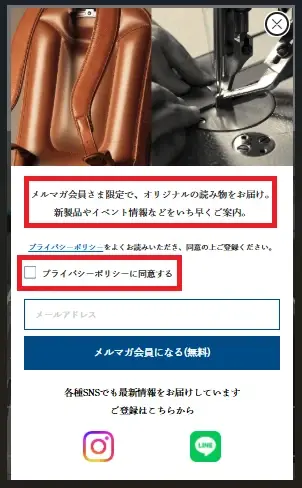
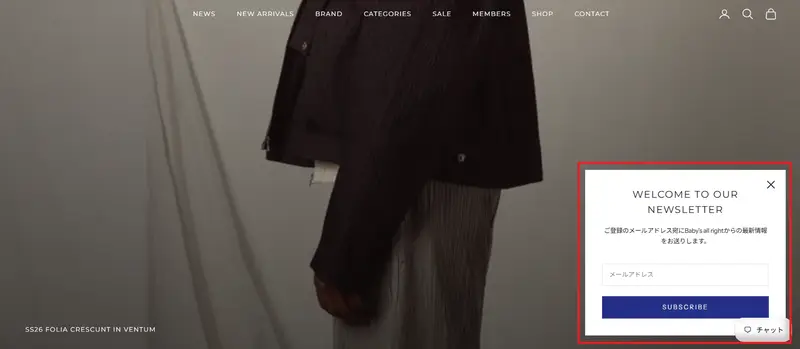
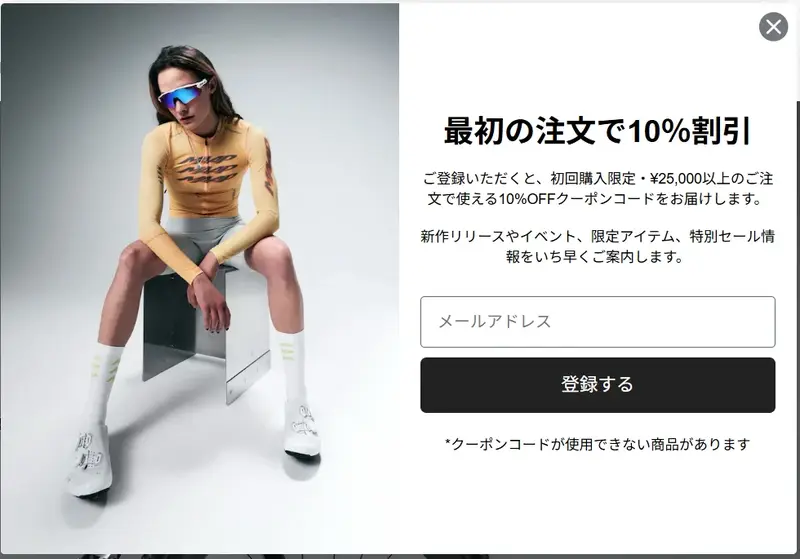
What is an email popup form?
An email popup form is a form that appears on the screen of a user browsing an e-commerce site or similar website, prompting them to enter their email address. In many cases, it offers benefits such as discount coupons, free shipping, or early access to limited-edition products in exchange for subscribing to a newsletter.
This allows us to connect with users who did not make a purchase.
By utilizing email popup forms, you can obtain email addresses and maintain continuous contact with users who have left your site.
We can accumulate user data in-house.
Email pop-up forms allow you to directly collect information such as email addresses with the user's consent. In recent years, due to increased privacy protection, it has become more difficult to utilize user data obtained from external services. Therefore, the advantage of using these forms is that you can accumulate first-party data managed in-house.
We can deliver information tailored to each customer.
By classifying registrants based on the information obtained through the form, we can guide them to products and campaigns that match their interests. In addition to the answers provided, it is possible to personalize the content delivered based on the products viewed, their residential area, and their past purchase history.


